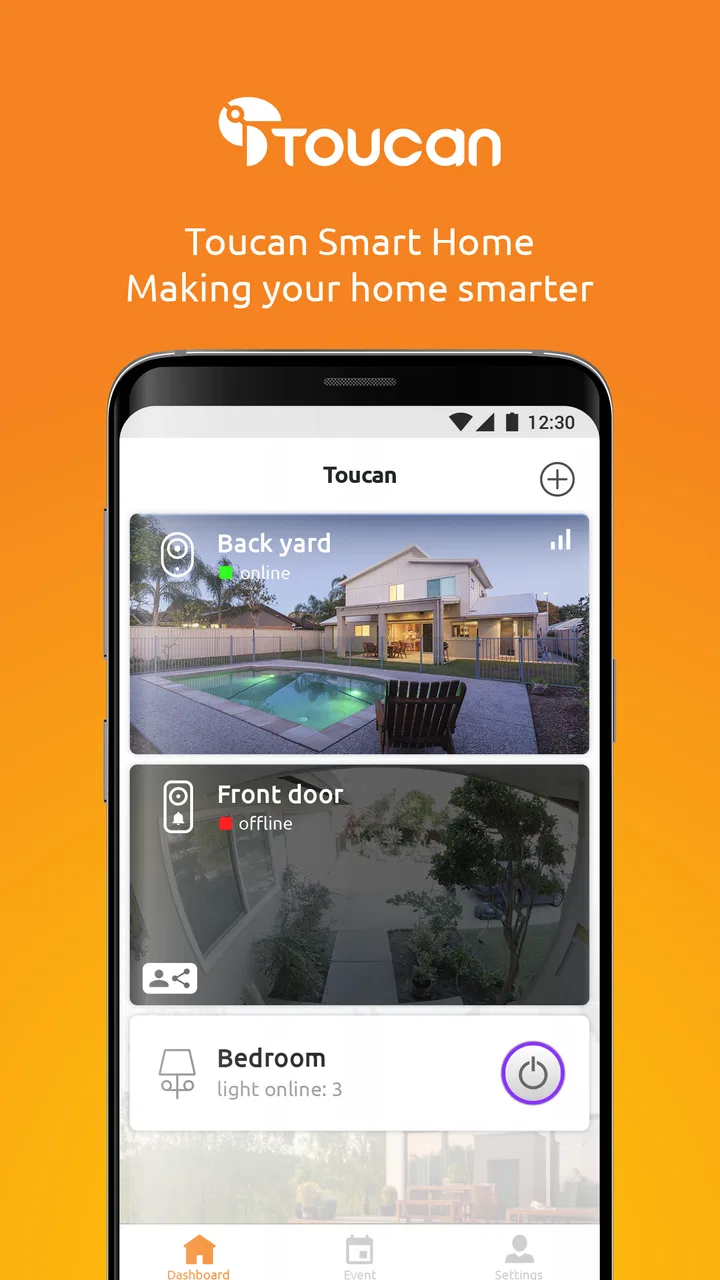
Toucan Smart Home
- 4.5
- Rating
- 100.00K
- Installs
- Free
- Price

 Analysis by App-foxy
When I think about a smart-home app, I want something that makes everyday control feel simpler rather than turning my phone into another complicated dashboard. Toucan Smart Home is aimed at that practical space: it is a free lifestyle app from VuPoint Solutions Inc. for managing a Toucan-based home setup. I found its appeal strongest when I treated it as the place to check, adjust, and organize connected home devices instead of expecting it to replace every smart-home platform at once.
The app is available to a broad audience, with an Everyone content rating, and it has passed the point where it feels like an obscure experiment. It has more than 100 thousand installs, an average rating of 4.5 from roughly 6.3 thousand ratings, and just over 900 written reviews. Those figures do not guarantee a smooth experience on every phone or with every Toucan product, but they do suggest that the app has found a real audience among people building a security-focused connected home.
How Toucan Smart Home feels in everyday use
My first impression is that the app makes most sense when the Toucan ecosystem is already part of the home. The store summary describes it as a way to create and customize a secure smart home, but the useful question is what that means in daily life. In practice, the value comes from having one familiar mobile destination for checking the state of your connected setup and making changes without reaching for separate controls.
You May Also Like

 Blood Strike: 2.5 Anniversary
Blood Strike’s Loadouts Turn Every Drop Into a Tactical Gamble
A close look at Blood Strike’s custom loadouts: how fast access to signature weapons reshapes its battle royale rhythm, rewards preparation, and narrows the gap between fights.

 Pandora - Music & Podcasts
Pandora’s Music Is Easy to Start, but Harder to Recover
Pandora’s strength is its low-effort path from a seed to a station. Its weak spot is how much confidence it asks you to place in connection, setup, and quiet recovery.

 8 Ball Pool
 Is Built on Rivalries, Rematches, and Routine
A close look at the rivalries, rematches, shared routines, and unanswered safety questions that turn a quick pool match into a persistent mobile community.

 Samsung Music
’s Quiet Strength Is Playing What You Already Own
Its reach comes less from spectacle than from dependable access to a personal library. That simplicity is both the app’s strongest retention engine and its ceiling.

 AccuWeather: Weather Radar
AccuWeather Review: A Quick, Clear Forecast for Everyday Decisions
For everyday plans, the best forecast is the one you can understand quickly. AccuWeather makes rain timing, radar, and local conditions easy to act on, with a few trade-offs.

 Hill Climb Racing
Why Hill Climb Racing Still Turns Crashes Into One More Run
A tiny car, a bumpy hill and one more upgrade: Hill Climb Racing keeps resurfacing because its simple chaos makes every near-miss feel personal.
More From Our News Desk
View All News


A realistic example would be arriving home after work and wanting to review the situation before settling in. Rather than walking around checking each device individually, I would open the app, look over the available home controls, and adjust the setup for the evening. The benefit is not flashy; it is the reduction of small decisions. A good smart-home companion should help me build a repeatable routine, and Toucan Smart Home is best judged by how well it supports that habit.
That also explains who will appreciate it most. If you already own Toucan hardware or are planning a home setup around the brand, the app is a natural part of the experience. It can serve as the mobile layer between you and your devices, especially when you want to manage the home while moving between rooms or while away from the house. Someone looking for a general-purpose controller for products from many unrelated manufacturers may find a broader platform more suitable.
The important distinction is that this is an ecosystem companion, not a universal smart-home command center. That distinction affects the buying decision. A dedicated brand app can be easier to understand for supported products, while a broad alternative may offer wider compatibility but require more setup, more accounts, or more time learning how different brands behave together.
A useful starting point for a Toucan setup
One practical strength is the way the app gives a Toucan user a single point of reference. Instead of treating the mobile phone as a collection of unrelated device apps, I can approach the home as one connected environment. That is especially helpful for households where more than one person needs to understand the basic controls. A consistent app is easier to hand over than a mixture of manufacturer utilities with different layouts and terminology.
For a first-time user, I would begin with one clearly defined routine rather than trying to customize everything immediately. Set up the app, identify the controls you use most often, and spend a few days noticing which actions are genuinely useful. This approach exposes the difference between a feature that looks impressive during setup and one that saves time in real life. It also makes troubleshooting less confusing because there are fewer changes to track at once.
Another useful habit is to keep the app’s role clear in your household. If Toucan Smart Home is used for security-related checks, everyone who relies on it should know which screen or control matters for the routine. That sounds obvious, but connected-home systems become frustrating when one person expects an automatic behavior while another person is manually changing the same setting. The app cannot solve unclear household rules, so a little planning improves the experience more than constant customization.
What the current version tells me
The current release is version 3.3.2, Build512. That is relevant because it shows the app is not frozen at its original launch state. It first appeared on July 2, 2018, and the present build represents a product that has had time to move beyond its earliest form. I would still avoid assuming that a newer build automatically means every rough edge has disappeared, but an actively maintained version is preferable to relying on an abandoned companion app.
For existing users, the current version is best viewed as an evolution rather than a reason to expect a completely different product. The central purpose remains managing the Toucan smart-home experience. If you are upgrading from an older installation, the sensible approach is to check that your account access, connected devices, and preferred routines still behave as expected after updating. I would not make a major household change immediately after an update; I would first test the actions that matter most.
This is also where expectations need to stay realistic. A version number can indicate ongoing development, but it does not tell me that every device behaves identically or that every phone will deliver the same results. Android hardware varies widely, and smart-home performance depends on more than the app itself. The app is one part of a chain that includes the phone, the home network, the Toucan device, and the way the household uses them.
Small workflow choices that make it easier to live with
One of my strongest recommendations is to design around repeatable moments rather than individual features. Think about leaving home, arriving home, checking the house before bed, or confirming the setup while traveling. For each moment, decide what you actually need to see or change. This prevents the common smart-home mistake of creating a complicated arrangement that nobody wants to use when they are tired or in a hurry.
I would also keep a simple mental separation between monitoring and customization. Monitoring is the quick check: open the app, understand the current situation, and move on. Customization is the slower work of changing how the home behaves. Mixing those two activities can make a routine feel unnecessarily long. If I am checking the home before sleep, I want clarity first; I do not want to hunt through settings because I designed the setup around experimentation instead of a dependable nightly flow.
A second non-obvious trade-off is convenience versus concentration. Centralizing controls is helpful, but it can also encourage me to keep opening the app and adjusting things that did not need adjustment. The best use is often deliberately boring: establish a few reliable actions and leave them alone. That makes the app feel like a quiet utility rather than another source of notifications and decisions.
Finally, I would test the app from the places where I will really use it. A control that feels fine while standing beside the home network is not necessarily the one I will depend on when I am away. Testing normal routines at different times helps reveal whether the experience fits my habits. This is more valuable than spending an hour exploring every menu without a real task in mind.
Where it fits, and where it still falls short
The clearest limitation is ecosystem scope. If my home includes devices from several manufacturers, I would compare Toucan Smart Home with a broader smart-home platform before committing to a brand-centered approach. A multi-brand system may be better for someone who wants cross-device scenes, a single dashboard for unrelated products, or the freedom to change hardware brands later. On the other hand, broader systems can introduce their own complexity, so compatibility alone should not decide the choice.
I would also skip this app if I do not own Toucan equipment and have no intention of building around it. Installing a companion app without supported hardware gives me little reason to return to it. The app is not a general lifestyle tool in the way a calendar, shopping app, or home-maintenance organizer would be. Its purpose becomes meaningful when there is a Toucan home to manage.
Another point to consider is the role of the phone. The app is convenient because the phone is usually close by, but that also means the experience depends on the person remembering to use it. If everyone in the household prefers voice controls, physical switches, or a different home platform, a mobile-first companion may not become the main interface. I would choose it when phone control feels natural, not because every smart-home task must happen through an app.
The free price makes trying it less intimidating, although in-app purchases range from around 49 cents to nearly 100 dollars per item. That range matters because “free” does not necessarily describe the complete cost of a larger smart-home setup. I would separate the app’s download cost from the cost of the hardware and any optional purchases connected with using the service. Before expanding a setup, I would check exactly what each purchase is for and whether it solves a problem I actually have.
The age rating of Everyone is reassuring for a household app, but it should not be confused with a guarantee that every family member will understand every security-related decision. Children may be able to encounter the app, yet adults should still decide who can change important home settings and when. The app can support a household routine, but sensible access habits remain part of using any connected-home system.
Questions I would answer before installing it
If you are wondering whether it works without Toucan hardware, my practical answer is to treat the hardware relationship as essential. The app’s value is tied to managing a Toucan smart home, so it is not the right download simply because you want any smart-home app. Start with the device ecosystem you own or plan to buy, then decide whether this companion matches it.
If you are replacing another smart-home platform, I would not assume that installing Toucan Smart Home will automatically reproduce your old routines. Compare the specific controls and habits you depend on, then migrate gradually. Keep the old setup available until the most important daily actions work comfortably in the new one. This is particularly sensible when the app forms part of a security routine rather than a casual lighting setup.
If you are concerned about whether the app is suitable for a family, I would focus less on the Everyone label and more on household roles. Decide who needs viewing access, who should be allowed to change settings, and what everyone should do if the app is unavailable. A clear backup plan is a better safety measure than assuming the phone will always be the perfect control point.
If you are asking whether the latest build is worth using, I would generally favor the current version, 3.3.2, Build512, because it is the active version associated with the app today. Still, I would update at a calm time, verify the important controls afterward, and avoid making the update itself part of an urgent security routine. That small precaution protects against confusion even when an update goes smoothly.
If you are deciding between this and a larger platform, ask yourself whether brand consistency or broad compatibility matters more. Toucan Smart Home is the more focused choice when Toucan devices are central to the home. A wider platform is the better direction when I want to combine many brands and build a more elaborate cross-device system. Neither choice is automatically superior; the right one depends on whether I value a focused experience or maximum flexibility.
What I would watch as the app continues to evolve
Because the app has moved from its 2018 release to the current build, I would watch for improvements that make everyday routines clearer rather than simply adding more controls. The most meaningful progress would be anything that reduces the steps between opening the app and understanding the home. I would also pay attention to how smoothly existing users move through updates, since continuity matters more than novelty in a security-oriented companion.
I would keep an eye on the balance between customization and simplicity. More options can be useful for experienced owners, but they can make the first experience harder for everyone else. The best evolution would let new users establish a dependable routine quickly while still giving advanced users room to tailor their setup. That balance is difficult, and it is more important than a long feature list.
My final view is positive but specific. Toucan Smart Home is a sensible free lifestyle app for people who are already invested in the Toucan ecosystem and want a phone-based way to organize their connected home. I like the focused purpose, the established development history, and the possibility of turning repeated household checks into a simple routine. I would not recommend it as a universal answer for a mixed-brand smart home, and I would think carefully about optional purchases before expanding beyond the basic experience.
For the right household, the app can make a Toucan setup feel more coherent and easier to live with. For someone starting from scratch, the better decision is to choose the hardware ecosystem first and the companion app second. If Toucan fits that choice, this is a reasonable place to begin; if flexibility across many brands is the priority, I would look elsewhere before building the home around it.
My recommendation: try it when Toucan is already your intended smart-home ecosystem, but judge it by the routines you can complete quickly and reliably, not by how many settings you can discover.
FAQs for Toucan Smart Home
01What is Toucan Smart Home, and what can I use it for?
Toucan Smart Home is a companion app for managing compatible Toucan smart-home products, such as security cameras, doorbells, and related devices. After setup, you can typically view live video, receive motion or activity alerts, review recorded events, adjust device settings, and manage connected products from one place. The exact features depend on your Toucan device model and subscription plan.
02How do I set up a Toucan device with the app?
To begin, install Toucan Smart Home, create or sign in to your account, and follow the in-app pairing instructions. You will generally need a compatible smartphone, Bluetooth or location access during setup, and a reliable 2.4 GHz Wi-Fi connection, depending on the product. Keep the device near your router while pairing, enter the correct Wi-Fi password, and complete any firmware update before mounting it permanently.
03Does Toucan Smart Home require a subscription or additional fees?
The app may be available at no charge, but some advanced services can require a paid plan or additional purchase. Basic device control and live viewing may be included, while features such as cloud video storage, extended event history, richer notifications, or professional monitoring can vary by product and region. Check the plan details shown in the app before relying on cloud recording.
04Can I use Toucan Smart Home when I am away from home?
Yes, compatible Toucan devices are designed to be accessed remotely when they are connected to the internet and your phone has a data connection. You can usually check live status, view available recordings, and receive alerts while away. Remote access depends on the device remaining powered and online, so a weak Wi-Fi signal, router outage, or service interruption may prevent updates or video access.
05What permissions and privacy considerations should I know about?
Toucan Smart Home may request permissions such as camera access for scanning setup codes, notifications for security alerts, microphone access for two-way communication, location access for device discovery, and local-network access on supported phones. Grant only the permissions needed for the features you use. Review account security settings, choose a strong unique password, enable available authentication protections, and check the privacy policy before enabling cloud recording.
Pros
- Simple setup for compatible smart home devices
- Remote control from anywhere with an internet connection
- Supports convenient automation and scheduled actions
- Useful status updates for connected home appliances
- Clean interface that is easy for beginners to navigate
Cons
- Compatibility may vary between device models and regions
- Some features depend on a stable Wi‑Fi connection
- Cloud-based controls may raise privacy concerns
- Advanced automation options can feel limited
- App performance may depend on the quality of connected devices

Toucan Smart Home
Gallery